Register

Take control of your encryption keys


Encryption protects your data only as well as the keys behind it. Exoscale Key Management Service (KMS) is a managed service to create, store and control the encryption and signing keys that protect your applications and data.

Your team decides how each key is used: who can access it, when it rotates, in which zones it lives and when it is deleted. Exoscale runs the infrastructure, and your key material never leaves KMS unencrypted.

Use Exoscale KMS from your applications through the API, CLI and SDKs, and when your policies require it, hold the key material in your own hardware with External Key Store (XKS).
Why choose Exoscale KMS

One price per key

One price per key

Every organization gets one key free. Each additional key is billed by the hour at a flat price, and encrypt, decrypt, rotate and replicate operations cost nothing extra. Your bill does not grow with traffic.

You decide the lifecycle

You decide the lifecycle

Rotate keys automatically or on demand, disable them at any time, and schedule deletion with a waiting period of 7 to 30 days to protect against mistakes.

Available in every zone

Available in every zone

Replicate a key to the zones where your workloads run, so cryptographic operations stay local. Your default organization key is already in all zones.

Ready for long-lived signatures

Ready for long-lived signatures

Sign and verify with ECDSA, Ed25519 and RSA-PSS, or with ML-DSA, the post-quantum standard from FIPS 204.

External Key Store: hold your own key Private preview

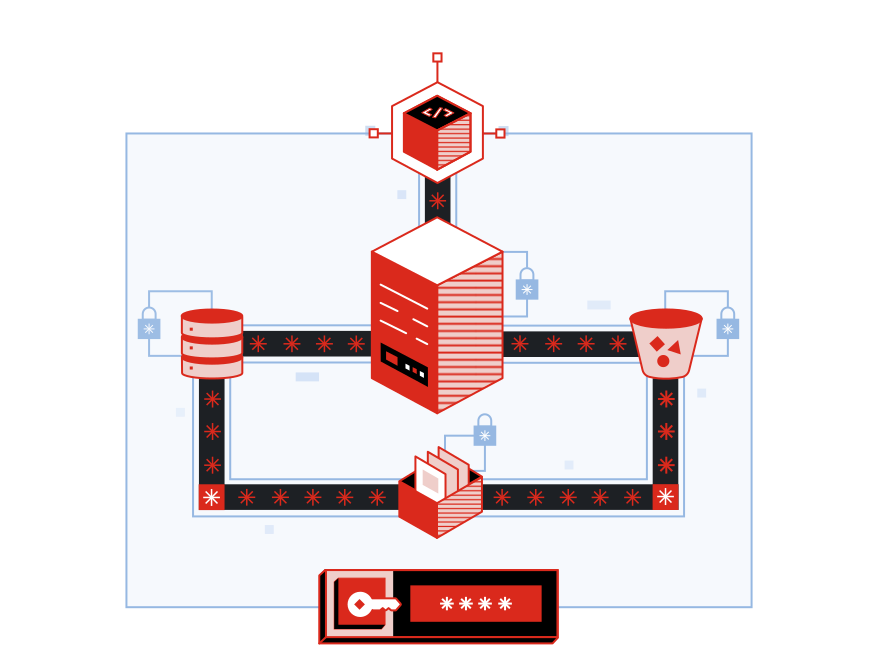
Some organizations must keep encryption keys in their own hands, in hardware they operate. External Key Store connects Exoscale KMS to your key manager through an XKS proxy that you host. The key material stays with you, and Exoscale never stores or sees it.

Two layers of encryption

Two layers of encryption

Exoscale KMS encrypts your data with its own key material, then your key manager encrypts the result again. Neither Exoscale nor your key manager can decrypt the data alone.

Works with existing XKS proxies

Works with existing XKS proxies

Exoscale implements the AWS KMS External Key Store Proxy API, so a proxy built for that standard connects without changes.

Every call visible on your side

Every call visible on your side

Each request carries the operation name and a request ID, so you can log and authorize every call in your own systems.

How organizations use Exoscale KMS

Keep control of your most sensitive data as your business grows in the cloud.

Prove control to regulators and auditors


Banking, healthcare and the public sector expect you to show who controls your encryption keys. With Exoscale KMS your security team owns the keys, decides when they rotate and when they are retired, and every key management action is recorded for your auditors in Audit Trails.

Limit the impact of a security incident


Keys and data are managed separately, with role-based access to each key. If something goes wrong, disable a key and the data it protects can no longer be decrypted, across every system that uses it.

Move sensitive workloads to the cloud with confidence


Run regulated workloads on a European cloud while your team keeps ownership of the keys. When your policies require it, keep the key material in your own hardware with External Key Store (private preview).

KMS Features

Plan your key management with us

Whether you need a few keys for application secrets or an external key store for regulated data, our team will help you choose the right setup.

Contact us

Get started with our Key Management Service tutorials

Discover step-by-step guides to help you create, rotate and manage your encryption keys on Exoscale.

Get Started in Minutes

Create your first KMS key and encrypt your first secret in minutes with our step-by-step guide.

Practical How-To Guides

Hands-on guides to rotate and replicate keys, re-encrypt data and connect an External Key Store.

Frequently Asked Questions about Exoscale KMS

How much does Exoscale KMS cost?

Every organization gets one key free. Additional keys are billed at a flat price per key, charged by the hour. Encryption, decryption, rotation, replication and deletion are all included, with no charge per request. See the current price on our pricing page.

What is the default organization key?

It is a key Exoscale creates for every organization, so encryption works without any setup. It is replicated in all zones and rotated automatically by Exoscale. You can use it right away, or create your own keys when you want to control rotation, zones and deletion.

What happens to my data when a key rotates?

Nothing changes for data you have already encrypted. Older key versions stay available to decrypt it, and new encryptions use the latest version. With envelope encryption only the small data keys depend on the key version, so you never re-encrypt large volumes of data. Use re-encrypt if you want older ciphertext moved to the latest version.

Which Exoscale services use my KMS keys?

Today you use KMS keys from your own applications through the API, CLI and SDKs. KMS integration for Object Storage, Block Storage and Compute is coming soon. Until then these services encrypt your data at rest by default with keys that Exoscale manages. See Encryption for the full list.

What is External Key Store, and do I need it?

External Key Store lets you back KMS keys with key material held in your own key manager, such as an HSM in your data center. It suits organizations whose policies or regulators require that keys stay in hardware they control. It adds work on your side: you run the proxy and the key manager, and their availability decides whether your keys can be used. If you do not have that requirement, standard KMS keys are simpler. External Key Store is in private preview. Contact us to take part.

Which key managers work with External Key Store?

Any key manager behind a proxy that follows version 1 of the AWS KMS External Key Store Proxy API. The proxy must be reachable over the internet with HTTPS (TLS 1.2 or 1.3) and a publicly trusted certificate, and the external key must be an AES-256 key that allows encryption and decryption.